
PreSonus StudioLive AR8c 8-Channel Analog Mixer with USB-C Audio Interface
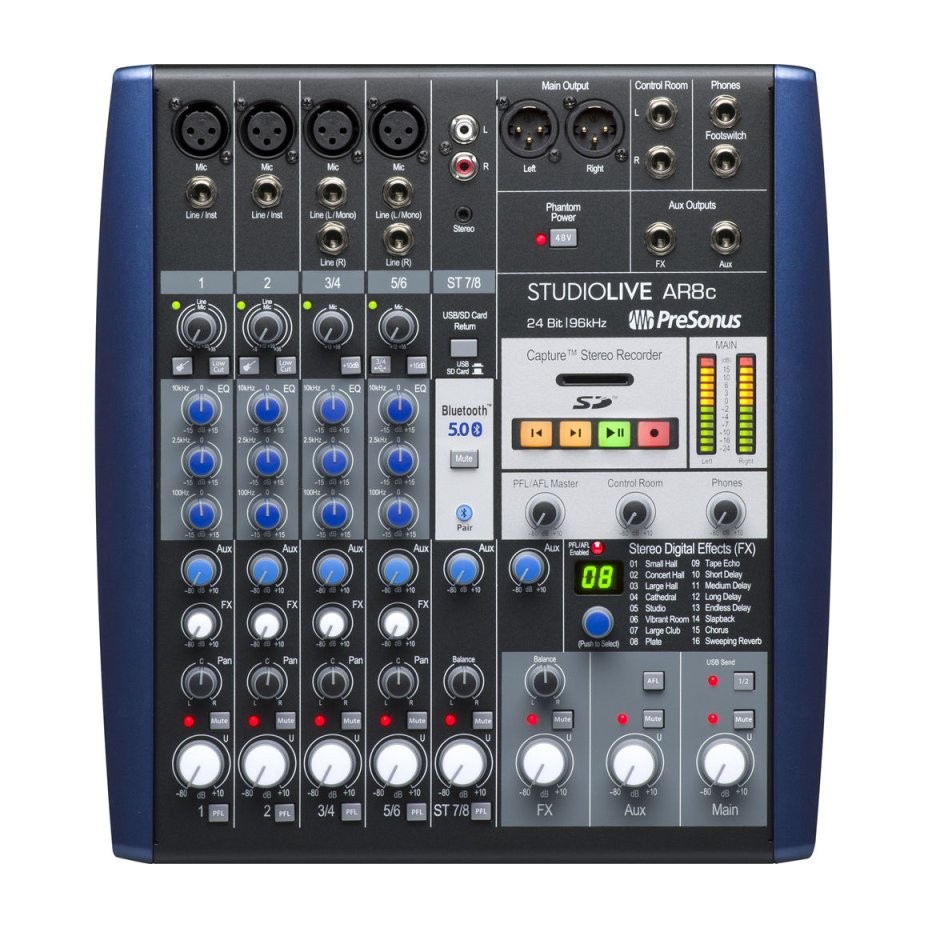
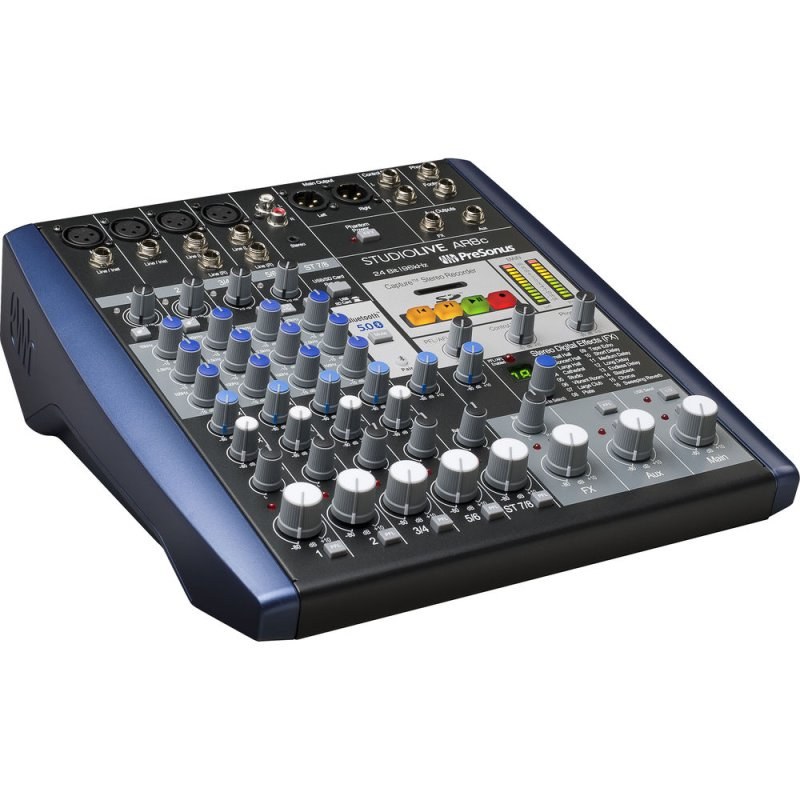
The PreSonus StudioLive AR8c is an 8-channel analog mixer that also records every input to a computer over USB-C, and the main mix to an SD card. It is built for anyone running a podcast, a livestream or a small show with real knobs, who still wants a multitrack session to edit afterwards.
What sets it apart
- 8x4, 24-bit/96 kHz audio interface (USB 2.0 over a USB-C connector): every channel and the main mix record separately
- Four XMAX mic preamps with gain adjustable from +12 to +55 dB
- Stereo Super Channel (channels 7/8) combining Bluetooth, RCA inputs, a 1/8" stereo input and USB or SD playback
- Stereo SD recorder that keeps the main mix even with no computer attached
- Stereo effects processor with 16 presets (reverb, delay, chorus) and a footswitch jack for muting
A podcast or livestream without the headache
Capture, the recording software designed for this mixer, configures itself as soon as it detects it, and one click captures the main mix along with each channel on its own track. Sessions then open directly in Fender Studio Pro, and registering the mixer gives you a perpetual licence.
On Windows, the driver adds two virtual loopback streams that capture audio from another application, such as a video or a backing track. On macOS the mixer works without a driver, but those virtual streams are not available.
What to know before you choose
Every channel has a 3-band analog EQ; on the AR8c the mid band is fixed at 2.5 kHz. The mixer offers a single aux mix with its own balanced TRS output: enough for one stage monitor or a guest's headphones, not for a band that wants four monitor mixes.
The AR8c rack ear kit is sold separately, for installing the mixer in a cabinet or a road case.
Specifications
| Inputs | 4 XMAX mic (XLR), 2 instrument/line, 2 balanced stereo line pairs |
|---|---|
| USB interface | 8x4, 24-bit, USB 2.0 over a USB-C connector |
| Sample rates | 44.1, 48, 88.2 and 96 kHz |
| Mic preamp gain | 43 dB (+12 to +55 dB) |
| Preamp signal-to-noise ratio | 94 dB (ref. +4 dBu) |
| SD recorder | 24-bit stereo WAV at 44.1 kHz, SD up to 2 GB, SDHC up to 32 GB |
| Headphone output | 150 mW per channel into 60 Ω |
| Power | Internal, 100 to 230 VAC, IEC connector |
| Dimensions (W x D x H) | 280 x 313 x 90 mm |
| Weight | 3.2 kg |
What it's for
- Two- or three-voice podcast recorded as multitrack for editing
- Livestream with intro music played over Bluetooth
- Small acoustic show whose house mix also goes to an SD card
- Rehearsal captured track by track so each musician can listen back
- Community hall or house of worship with mics and a music player
Compared with other manufacturers
Three compact mixers of the same size, all with a built-in USB interface. The difference lies in how many tracks reach the computer and in standalone recording.
| Model | Channels | USB interface | Notable feature |
|---|---|---|---|
| PreSonus StudioLive AR8c | 8 | 8x4, 24-bit/96 kHz | Built-in stereo SD recorder and Bluetooth |
| Yamaha MG10XU | 10 | 2x2, 24-bit/192 kHz | SPX effects with 24 programs, D-PRE preamps |
| Allen & Heath ZEDi-10FX | 10 | 4x4, 24-bit/96 kHz | Two high-impedance guitar inputs |
| Mackie ProFX10v3 | 10 | 2x4, up to 192 kHz | GigFX engine with 24 effects |
Frequently asked questions
- Can I use the AR8c as a mic mixer for Zoom or Teams?
- Yes. Connected over USB-C, the AR8c shows up on the computer as an audio interface: the video-call software selects it as the microphone and receives the mix you set on the console. No driver is needed on macOS; on Windows it installs with Universal Control.
- Does the AR8c Bluetooth support aptX?
- PreSonus does not list any particular codec for the AR8c. Bluetooth is a playback input on the Super Channel, handy for walk-in music or a sound clip. For a critical source, the RCA and 1/8" inputs on the same channel remain the wired option.
- How do I get the AR8c into OBS for a livestream?
- Select the mixer as the audio input device in OBS. On Windows, the driver's two loopback streams also let you capture sound from another application; on macOS you need a third-party utility to do the same.
- Why do I hear nothing in my headphones when I press PFL?
- The PFL and AFL buttons solo a channel or an output in the headphones and the Control Room outputs. They are a listening tool and change nothing in what leaves the main XLR outputs for the room.
Avis clients
Running a podcast on the AR8c? Tell us how you set it up.
Aucun avis pour le moment. Soyez le premier à partager votre expérience après votre achat.